ClientApps Installation
Client Apps are designed for single devices that can be used for broadcast, schedule, filter number and manage your device.
Created: 20/Oct/2021
Updated: 25/Oct/2021
Author: WA Server
Version: 1.0
Support :https://panel.wa-support.com/support
ClientApps Wa Server is depended on php web application with using Codeigniter
Thank you.!! for Choosing WA Server - Unofficial Whatsapp API
Features
- Send & Receive Message
- Group Message
- Broadcast Message
- Schedule Message
- Filter Number
Changelogs
- Send & Receive Message
- Group Message
- Broadcast Message
- Schedule Message
- Filter Number
Installation
To install access yourdomain/install, follow the steps bellow:
STEP 1
- Extract the archive file on your machine that you've downloaded from Wa Server.
- Upload your downloaded zip file to your sever using any FTP client or cpanel.
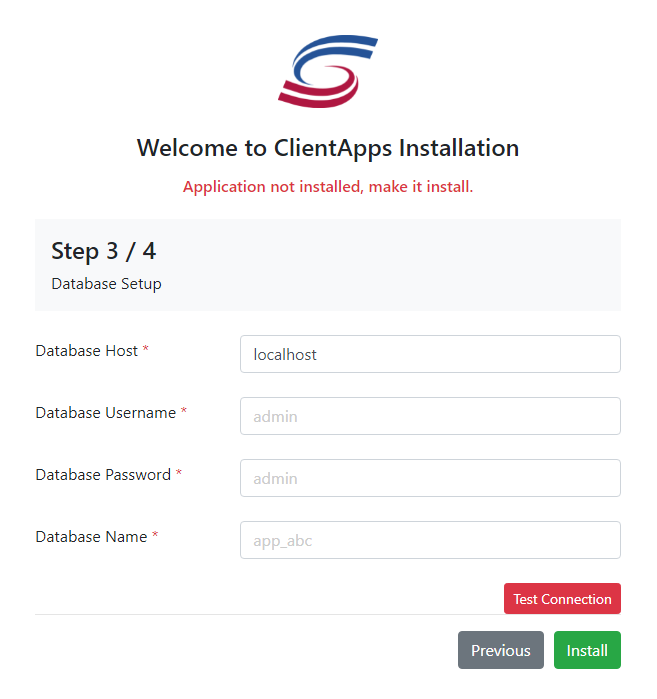
- Create a MySql Database via your web hosting providers Control Panel (e.g. cPanel). Once you have created the database, remember the following information
- Database name
- Database username
- Database password
- Database host
STEP 2
The following screen will appear
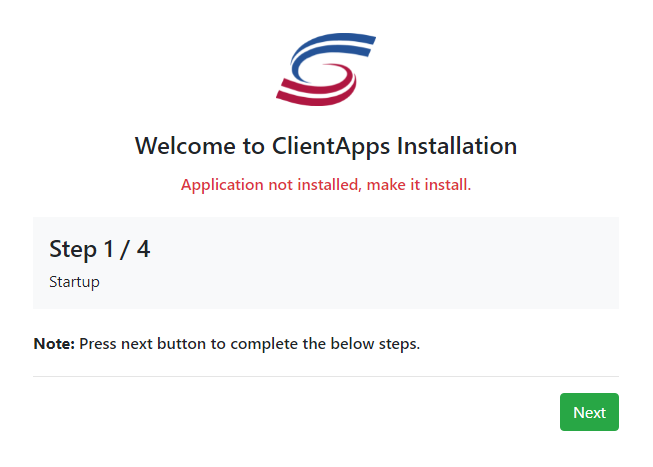
Start Startup
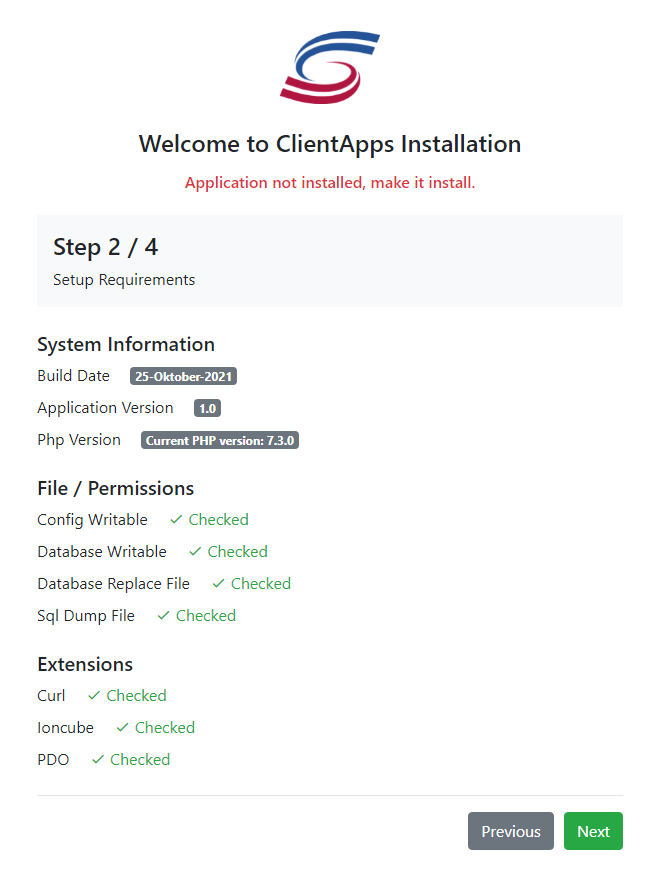
Setup Requirements
Fillout the field for
Database Setup
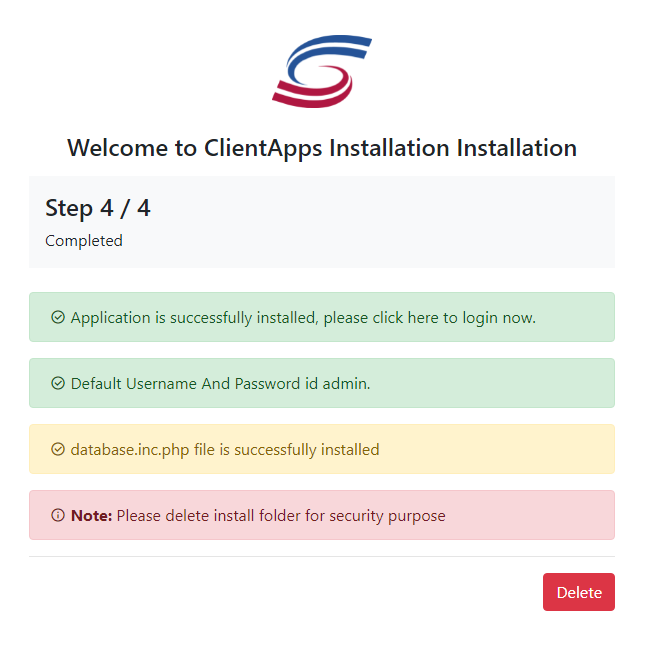
Completed
Cron Job
- * * * * * wget -O /dev/null http://yourdomain/proses/update/filter
- * * * * * wget -O /dev/null http://yourdomain/proses/update/broadcast
- * * * * * wget -O /dev/null http://yourdomain/proses/update/schedule
- 0 0 * * *wget -O /dev/null http://yourdomain/proses/update/broadcastdata
End
Thank you once again.!!! for Choosing WA Server
Support EMAIL - support@gatewayku.id
Support URL - panel.wa-server.com/support